Account
Display and edit personal information
Personal information
Click on the navigation item Account
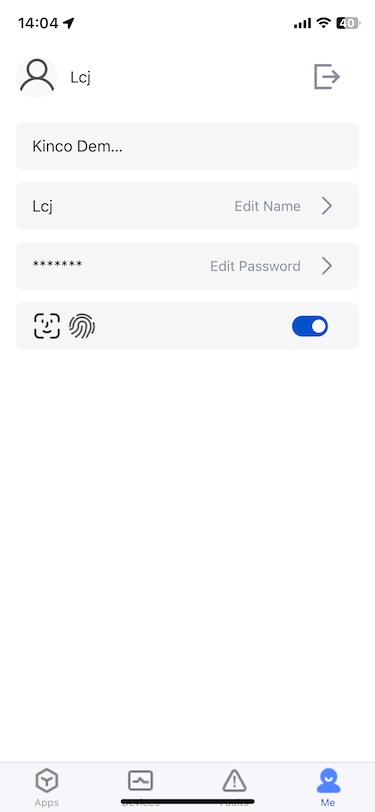
Display User Name, User Organization, Authorization
Operate
Switch Organization
When there are multiple organizations, click Switch Organization to switch organizations.
Edit User Name
Click Edit Name and enter the name to modify
Edit Password
Click Edit Password and enter a new password to modify it
quit
Click the Exit icon to confirm exiting the system
Face/fingerprint login authorize and cancel
Click the switch to set or cancel the face/fingerprint login authorization.
- After turning on Authorization, you can quickly log in with face/fingerprint the next time you enter the app
Bind account
When the user times out or is abnormal, click Click to bind account to log in again