Device Remote Control Case
- Device parameter delivery
- Data synchronization between devices
Specify:The remote control capability of the equipment is independent of the model of the device
premise
- In the model, it is an environment parameter
- The properties of the parameter include writable (W)
- In the HMI project, the subscription topic is completed (refer to Topic Subscription Configuration)
Device parameter delivery
Use platform functions to send content to writable environment parameters in the model
Send Data
Use the issue function in the component interaction capabilities to send parameters to the device.Click to view send data case
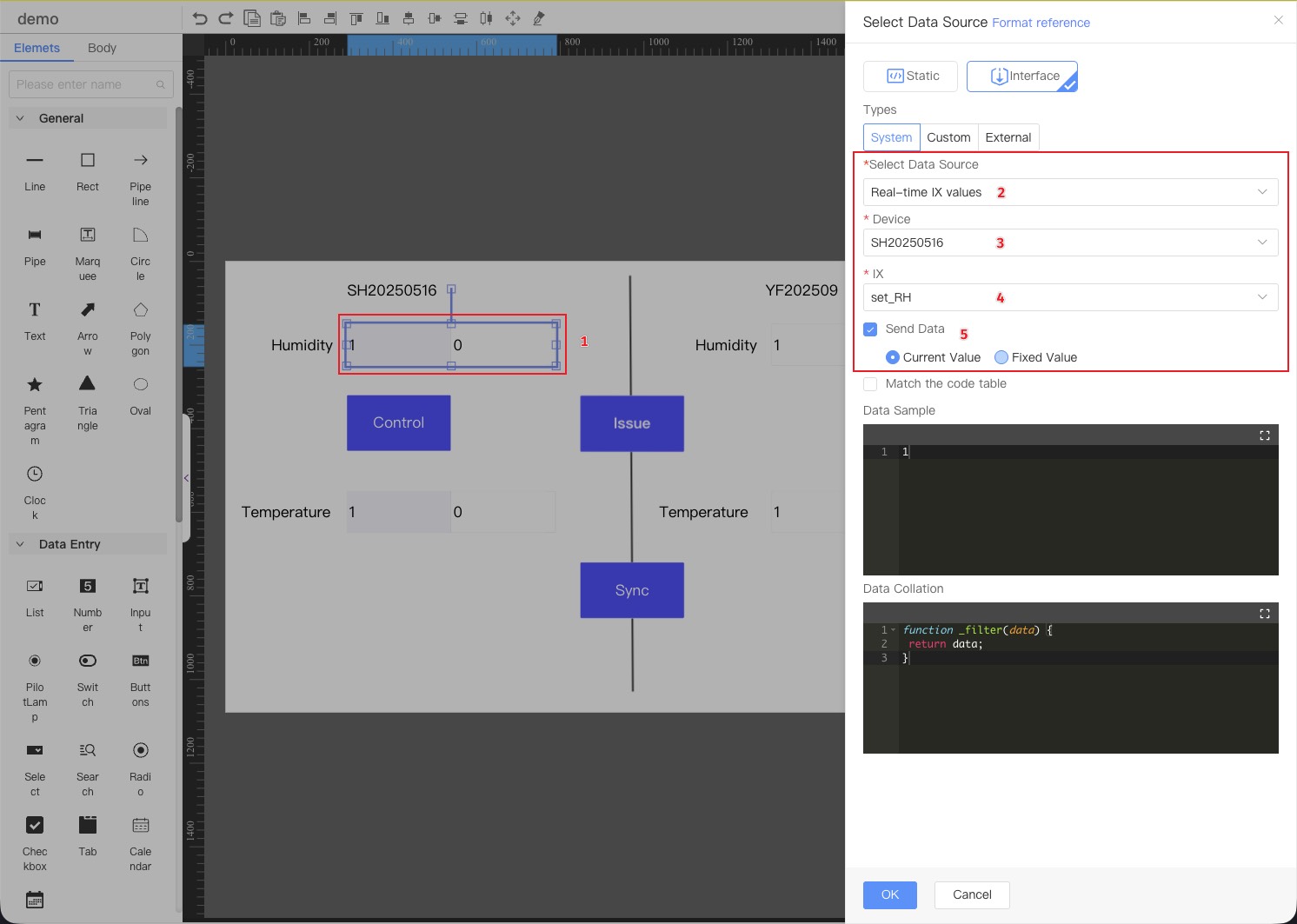
- Select the number box component
- Select the data source [real-time parameter value] for the system type in the interface.
- Select the target device (This step is automatically ignored by the device dashboard; the current device is assumed to be used)
- Select the parameter ix to be sent (environment parameters in the model)
- Check
Send dataand select the type as current value - Choose button
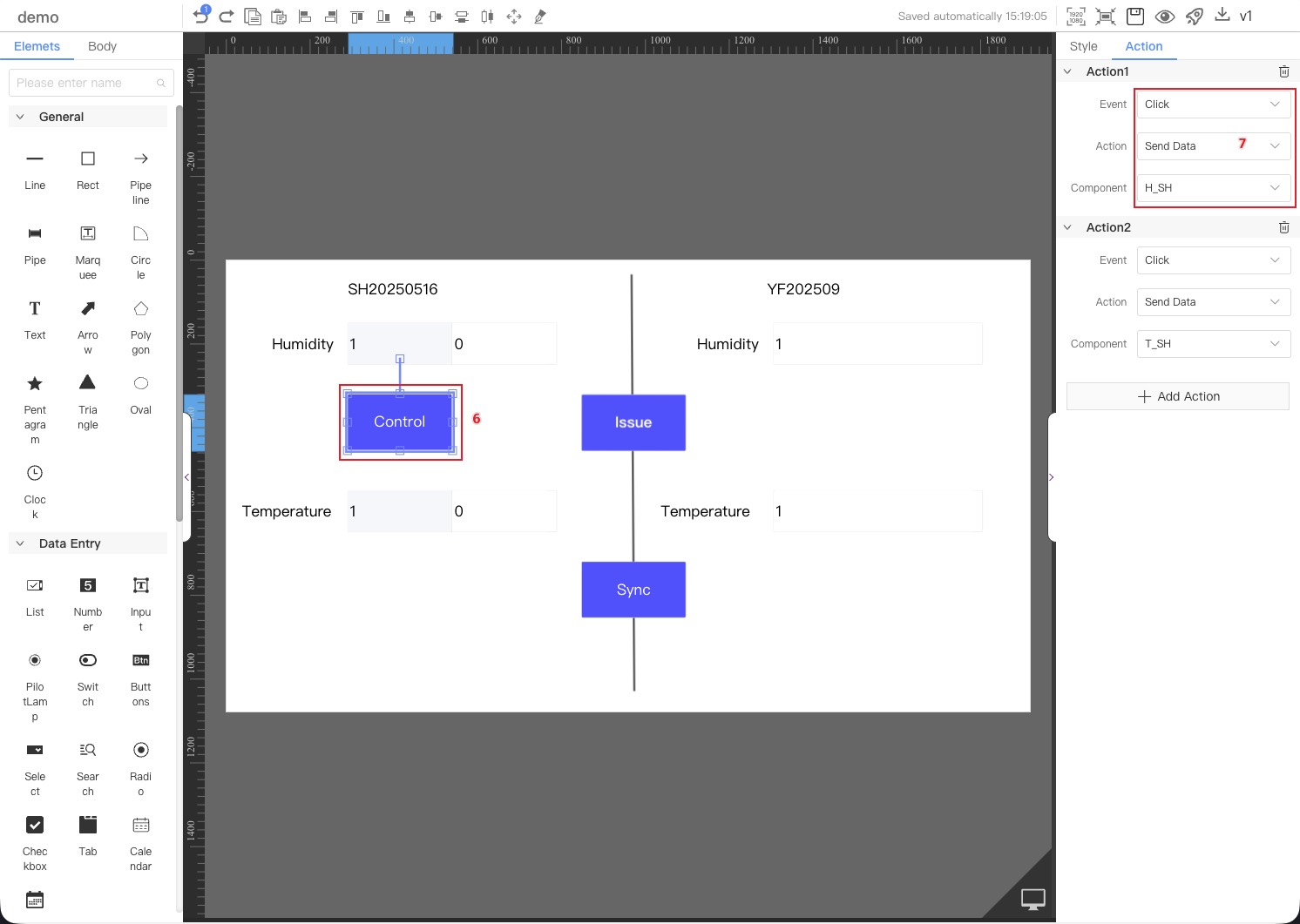
- Add a click event to the interaction and select the [Send IX] action to send parameters (multiple parameters can be sent simultaneously).
Data Transfer
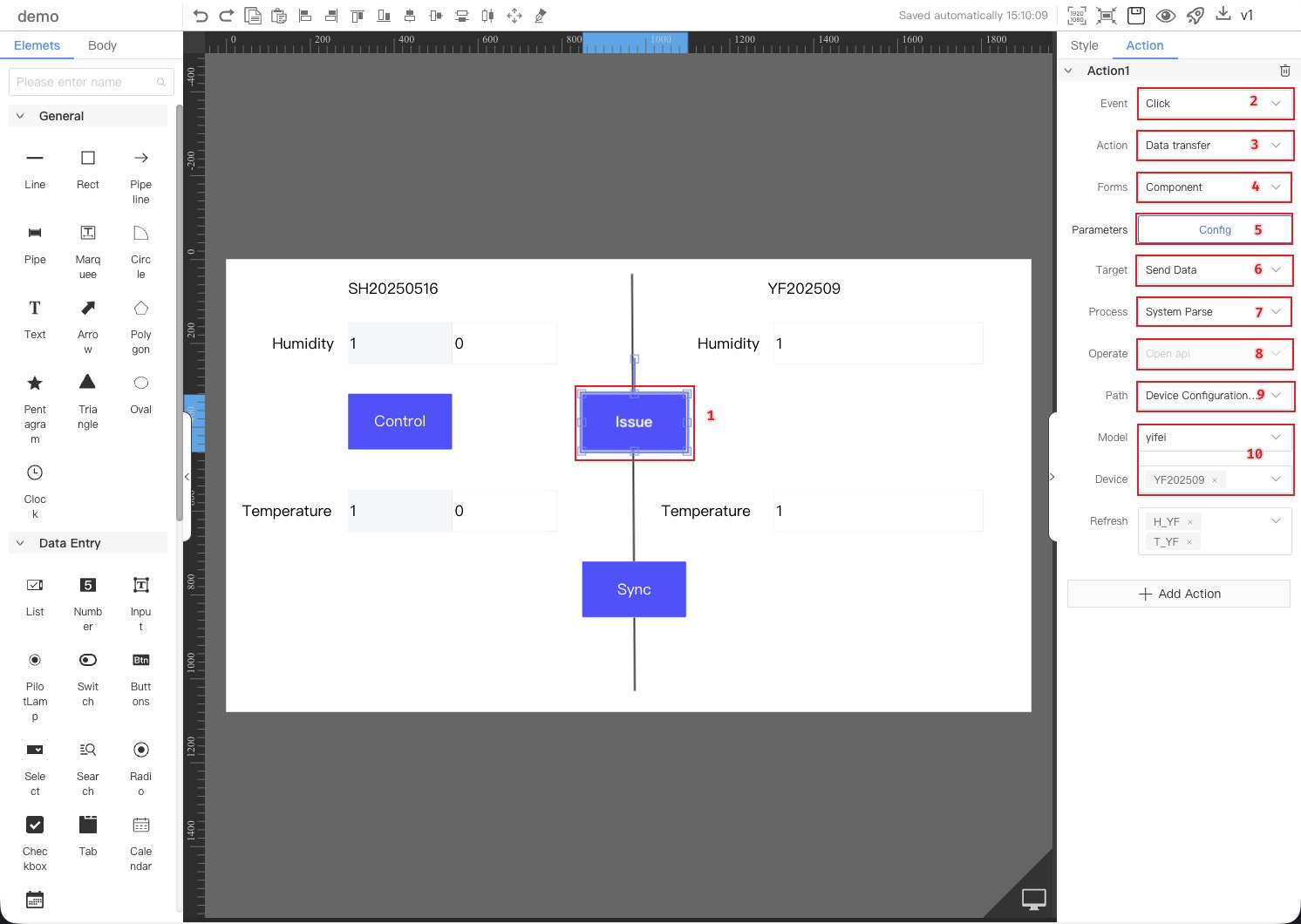
Use the data transmission function in the component interaction capabilities to send parameters to the device.Details Data Transfer
-
Select button component
-
Add
Clickto the interactive -
Select the action [Data Transfer]
-
Select the format [Component]
-
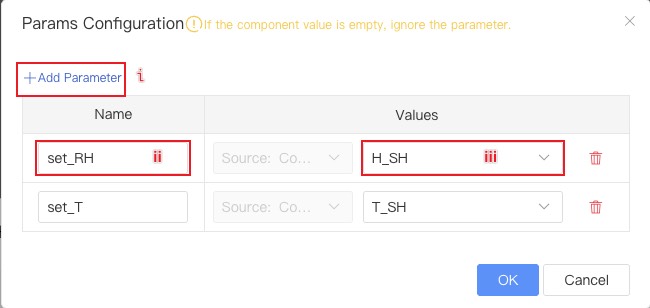
Click the "Configure" button and configure the corresponding parameters in the pop-up dialog box.
-
Click to add parameters
-
Enter the parameter name (the identifier of the environmental parameter in the object model).
-
Select the source component for parameter values.
-
-
Select target [Send Data]
-
Select the option [System Parse]
-
The default setting is [Open api] and cannot be modified.
-
Select the path [Device Configuration Parameters]
-
Specify the model and device (The device dashboard defaults to the current device and cannot be modified)
Data synchronization between devices
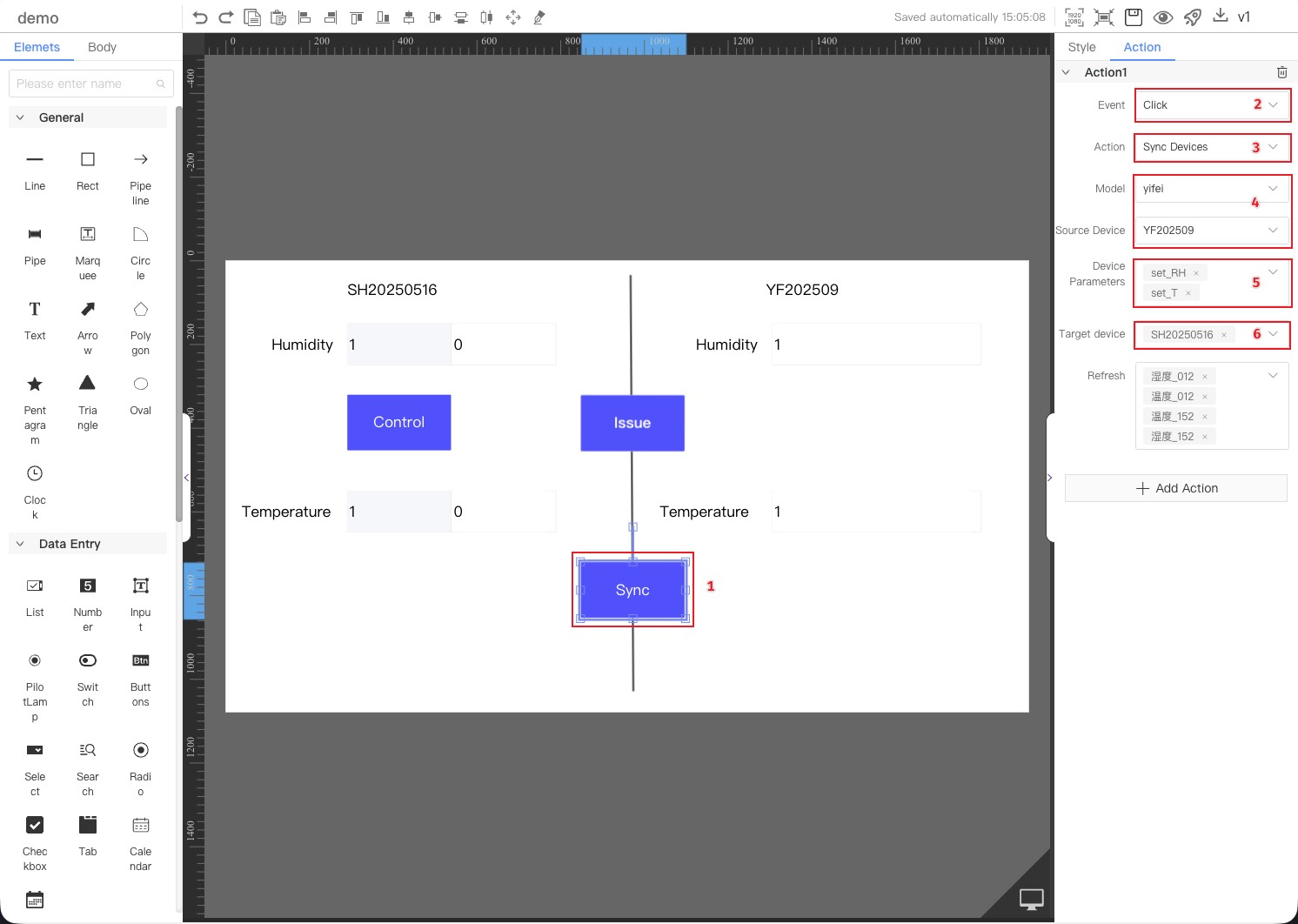
Use the synchronized device feature in the component interaction capabilities to synchronize writable environment parameters across multiple devices.
- Select button component
- Add [Click] to the interactive
- Select the action [Data Transfer]
- Specify the source model and device (The device dashboard defaults to the current device and cannot be modified)
- Select device parameters (writable environment parameters; multiple parameters can be synchronized simultaneously).
- Select the target device (other devices within the same object model; multiple devices can be synchronized simultaneously).